
| Latest releases .. Obi 5.1 & Obi 6.0-beta |
Obi
Introduction/Purpose
Obi is an open source audio book production tool that produces digital talking books (DTBs) conforming to DAISY 3 (ANSI/NISO Z39.86), DAISY 2.02, W3C Audio Books and Accessible EPUB 3 standards. It is easy to learn, highly accessible, and powerful navigable audio book production tool that enables anybody to produce accessible and rich content with minimal amount of training.
Who is this for?
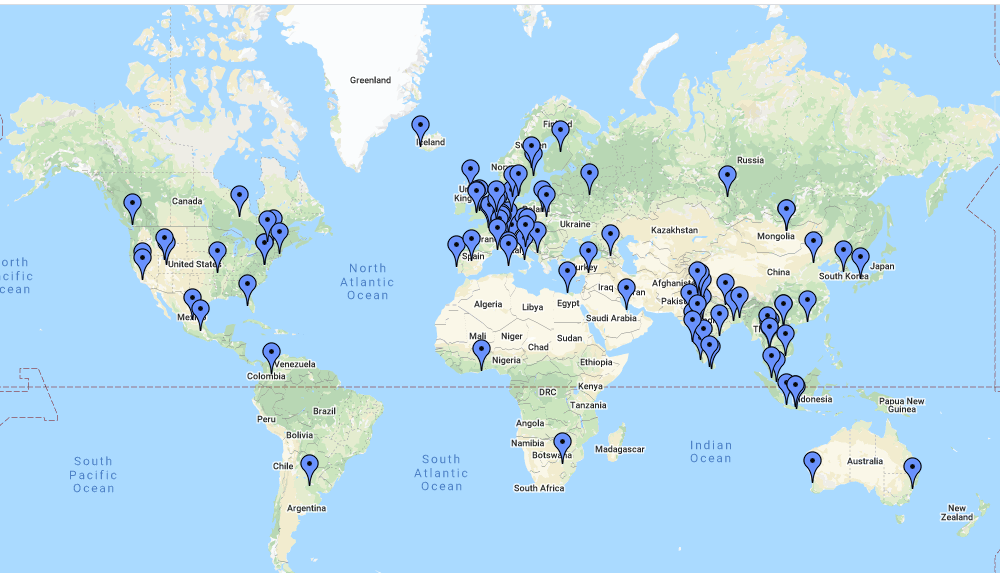
Obi is designed for a diverse range of users, from large scale production houses to individual home users. It is one of the preferred tools of the new generation distributed production systems, which are built on a vast network of volunteers who record at their homes and offices using cutting edge technologies.
Project vision
Empower individuals and organizations across the globe to create accessible and feature-rich content overcoming diversities like language, cost constraints & accessibility needs.
- Equip the world wide DAISY community with a free, localizable tool to enable accessible content production based on the latest specification, with minimum training and with complete independence.
- Provide the reference implementation for exemplifying the benefits of the latest specification & open-source code base to facilitate further customization.
Release Status
The latest release is Obi 5.1, released on May 17, 2025. It comes with enhancements to synthetic speech generation and noise reduction by using artificial intelligence, incremental features, performance improvement for phrase navigation, along with other improvements and bug fixes.
A new test release, Obi 6.0 beta has also been released recently, on December 24, 2025. The release upgrades Obi to the .NET 9 framework to keep it abreast with the new technologies! It also comes with incremental feature additions, updated Arabic language pack and performance improvements focused on navigation and improving stability.
Benefits and features
Obi has many particular features and benefits, a few of which are listed here below:-
- Enables production of audio books, with exceptionally rich structure, conforming to various DAISY standards, W3C Audio Books & EPUB 3 specifications.
- Empowers people with special needs to produce the books with the same fluency as their sighted counterparts.
- Ability to use Obi in native language enables non-English speaking volunteers & production staff to work in Obi with equal ease.
- Convenient integration with the existing workflows & production management software of the production houses.
- Efficient and flexible workflows, with recording process that can be configured for both expert & moderately skilled users.
- Enables further enhancement of audio by providing audio processing features like increase/decrease volume, fade in, fade out, normalize audio etc.
- Low learning curve making it easily comprehensible.
- Offers highly efficient mechanism for converting existing content to a structured audio DAISY/accessible EPUB 3 book.
- Tolerant to mistakes, so that you can work with confidence and without stress.
- Quick and easy execution of in-built post-production operations, like validation.
- Can be further customized for encompassing special requirements.
For more detailed information on specifics visit the Obi guidance area.
To know what users are saying about Obi, please visit Testimonials.
Download page
Development Site
The Obi development site is available for people interested in more technical information about this development. For feedback, comments and bug reports please contact us via email: obi.feedback@gmail.com .